
I've watched DevRel teams struggle with demo sessions for years. You record a perfect walkthrough, post it somewhere, and hope developers watch it.
They don't.
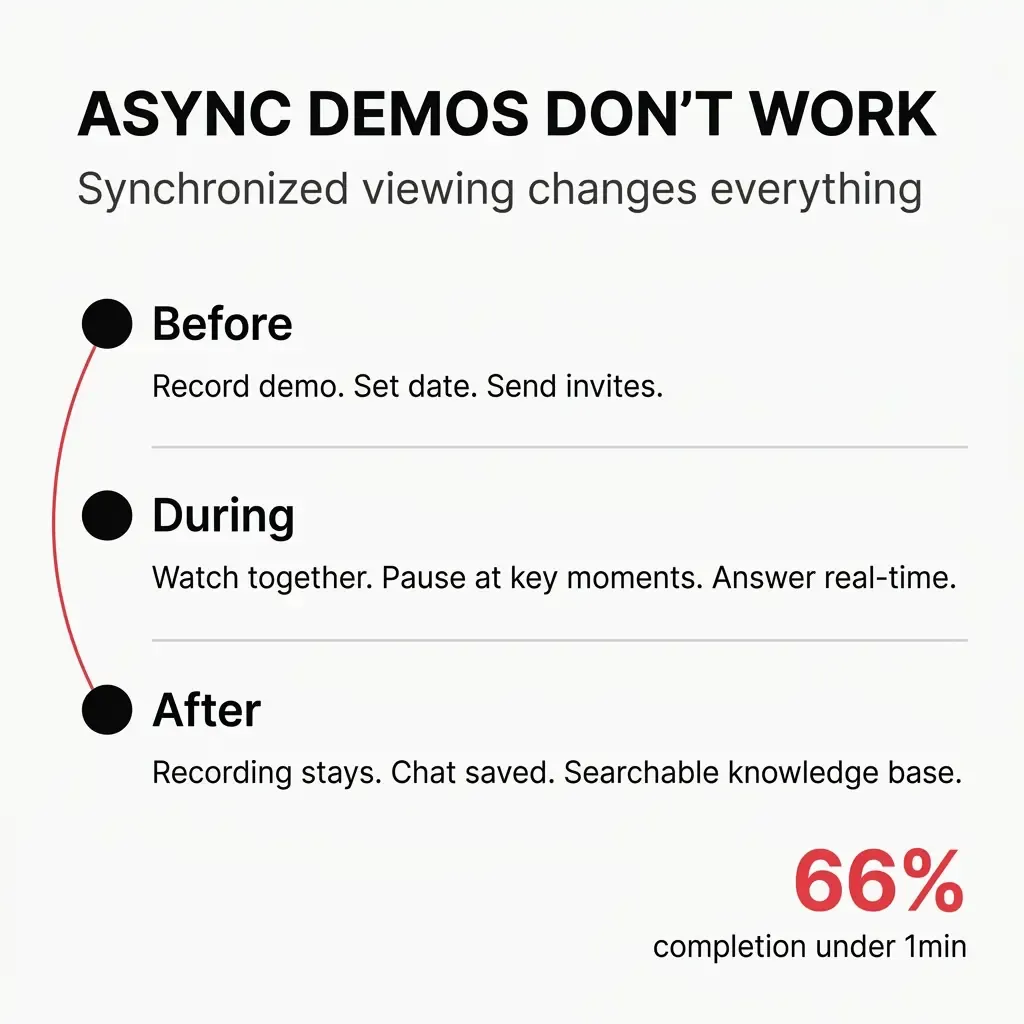
The data tells the story. Completion rates hit 66% for videos under one minute, then drop to 56% for anything between one and two minutes. Push past that and you're losing people fast.
DevRel teams face a measurement crisis. Proving impact with data and metrics remained the top challenge for 60.7% of Developer Relations professionals in 2024. When your async demos get abandoned halfway through, measuring real engagement becomes impossible.
I've found a better approach. Synchronized video viewing creates the structure async demos lack.
#The DevRel Demo Format That Actually Works
Synchronized demo sessions bring developers together at a specific time to watch the same video simultaneously. Everyone sees the same frame at the same moment.
This isn't a webinar. You're not presenting live.
You've already recorded your demo. The synchronization happens during playback. You control when the video plays, pauses, and resumes for everyone in the session.
Here's what the format looks like:
Before the session: You record your demo video. Keep it focused. Upload it to your platform. Set a date and time. Send invitations.
During the session: Developers join at the scheduled time. You start playback. Everyone watches together. You pause at key moments. Developers ask questions in chat. You answer in real time.
After the session: The recording stays available. Chat transcript gets saved. Questions and timestamps create a searchable knowledge base.
The format solves a fundamental problem. Developers want to learn, but they need structure to commit time.
#Why Async Demos Fail Developers
I've recorded dozens of async demos. They seem efficient. Record once, share everywhere, let people watch on their schedule.
The reality hits different.
Drop-off kills your message. Research on async video shows completion rates between 75-85% when you stay under 20 minutes total. Push past that threshold and drop-off climbs fast. Your most important points often come later in the demo. Developers never reach them.
I've seen this pattern repeatedly. You spend hours perfecting a demo that explains your API's authentication flow, error handling, and advanced features. Developers watch the first five minutes, get interrupted, and never return.
Questions go unanswered. Developers hit confusion points at different moments. In async demos, they pause, try to figure it out alone, or just move on. The friction compounds. Small misunderstandings become complete blockers.
You lose the developer right there.
No accountability for attention. Async demos compete with everything else. Slack notifications. Email. That production bug. When you're watching alone, nothing stops you from multitasking or bailing entirely.
The numbers back this up. Prospects stay for the whole duration during live demos. With recorded demos, they click close and leave. The format itself determines engagement.
You can't measure real understanding. Views don't equal comprehension. A developer might watch your entire demo and still miss the core concept. You have no feedback loop. No way to know what landed and what didn't.
Content development remains the top job activity for 50.3% of DevRel professionals. You're investing massive time in demos that might not teach anything.
#Shared Viewing With Chat Changes Everything
Synchronized viewing creates presence. Developers know others are watching the same content at the same moment.
That shared context matters.
Chat becomes immediately relevant. When everyone sees the same frame, questions make sense. A developer asks "Why use that parameter?" and everyone knows exactly which parameter. The conversation stays grounded in what's on screen.
I've run sessions where developers help each other in chat while I'm explaining something else. One person asks about error handling. Another developer who already uses your tool jumps in with their experience. You get peer learning without planning for it.
You can read the room. Chat activity tells you when to pause. Lots of questions means you need to slow down. Silence might mean confusion or complete understanding. You adjust in real time.
This feedback loop doesn't exist in async demos.
Developers commit differently. Scheduling a session creates commitment. They block time. They show up. The format respects their calendar while giving them structure.
Real-time interaction reduces sales cycles. Sales reps report that post-webinar discovery calls focus immediately on implementation details rather than basic product education. This approach cuts sales cycles by an average of 18 days.
For DevRel, the benefit shows up differently. Developers move faster from "understanding the concept" to "building with your tool."
The technical community aspect matters. Real-time chat provides developers a sense of community and camaraderie, especially for remote developers and freelancers. Your demo session becomes more than education. It becomes connection.
Here's how to structure the chat experience:
Set expectations early. Tell developers at the start how chat works. Questions get answered. Discussions are welcome. Off-topic stuff waits until the end.
Pause deliberately. Don't try to answer questions while the video plays. Pause. Address the question. Resume. This rhythm keeps everyone synchronized.
Acknowledge every question. Even if you're saving it for later, let the developer know you saw it. "Good question about rate limits, I'll cover that in two minutes" keeps them engaged.
Let the conversation flow. Some of the best insights come from developers talking to each other. Don't shut down every tangent. Guide it back when needed.
#Q&A Tied to Timestamps Creates Lasting Value
The session ends. The value shouldn't.
When you tie questions to specific video timestamps, you build a knowledge base that keeps working.
Context preservation matters. A question like "How does this handle rate limiting?" means nothing without context. Attach it to the timestamp where you're discussing API calls, and it becomes searchable, useful documentation.
I've seen this transform how teams use demo content. Developers who couldn't attend the live session watch the recording later. They see questions from other developers at exactly the moments they have the same questions. The learning compounds.
You identify patterns. When three developers ask about the same concept at the same timestamp, you know your explanation needs work. This feedback makes your next demo better.
The data on interactive demos proves the concept. Website conversion rates improve by 7.9x and deal conversion rates improve by 3.2x when prospects engage with interactive demos. Timestamp-linked Q&A creates that engagement for developer education.
Your demo becomes self-documenting. Instead of maintaining separate FAQ documentation, the questions and answers live with the content. When you update the demo, you see which questions become irrelevant and which new ones emerge.
Here's how to implement timestamp-linked Q&A:
During the session: When you pause to answer a question, note the current timestamp. Most platforms do this automatically. If not, have someone on your team track it.
After the session: Review the chat transcript. Clean up the formatting. Attach each question-answer pair to its timestamp. Remove duplicates but keep variations that add context.
Make it searchable. Developers should be able to search for terms and find both the video moment and the related discussion. "Authentication" brings up the demo section and all questions about auth.
Update based on feedback. When developers ask the same question repeatedly, consider recording a supplementary video or updating your main demo. The timestamp data shows you exactly where confusion happens.
💡 Pro tip: Create a summary document after each session listing the top five questions and their timestamps. Share this with developers who couldn't attend. It gives them a roadmap for watching the recording.
#Running Your First Synchronized Demo Session
You don't need complex infrastructure to start.
Pick your demo topic. Start with something developers ask about constantly. Your authentication flow. Your webhook system. Whatever generates the most support questions.
Record the demo video. Keep it under 20 minutes. Focus on one concept. Show real code. Skip the marketing slides.
Schedule the session. Pick a time that works for your target developers. Tuesday or Wednesday, mid-morning or early afternoon. Avoid Mondays and Fridays.
Send invitations. Email works. Include what you'll cover, how long it takes, and what developers will learn. Make it easy to add to their calendar.
Prepare your pause points. Watch your demo beforehand. Mark 3-5 places where you'll pause for questions. These should be natural transition points.
Start on time. Developers respect punctuality. Begin at the scheduled moment. Give a 30-second overview of the format, then start the video.
Control the pace. Pause when questions come in. Don't rush answers. If a question needs more depth, pause longer. The synchronization means everyone waits together.
End with open discussion. After the demo finishes, leave 10 minutes for broader questions. This is where developers ask about integration with their specific use cases.
⚠️ Common mistake: Trying to answer every question perfectly during the session. Sometimes the best answer is "I'll test that and follow up in the chat transcript." Developers appreciate honesty over guessing.
#The Metrics That Actually Matter
Track these numbers to measure success:
Completion rate. What percentage of developers who joined stayed until the end? Synchronized platforms like Goldcast achieve 64% completion rates compared to the 45% industry average for standard async formats.
Question density. How many questions per minute of demo? More questions usually means higher engagement, not confusion.
Post-session activity. How many developers access the recording afterward? How many search the timestamp-linked Q&A?
Implementation rate. This is the real metric. How many developers who attended your demo session actually implemented your tool within the next two weeks?
DevRel teams need to prove impact. Synchronized demo sessions with timestamp-linked Q&A give you the data to show what's working.
#Making This Your Standard Format
I've moved most of my developer education to this format. The results justify the effort.
Developers show up. They stay engaged. They ask better questions. They implement faster.
The format respects their time while creating the structure needed for real learning. You're not adding another async video to the pile. You're creating an event worth attending.
Start with one demo session. Record it, schedule it, run it with synchronized playback and active chat. Track your completion rates and question patterns.
The data will tell you what I already know. Synchronized viewing works better than async ever did.
Your next demo session should be synchronized. Pick your topic. Set your date. Invite your developers.
They'll actually show up this time.
If you're looking for a platform built specifically for this format, check out ShortVibe. It's designed for running watch parties with synchronized playback control, real-time chat, and timestamp-linked discussions—exactly what you need for effective developer demo sessions.