
Stop screen-sharing videos in Zoom. Review clips with your team properly.
Run short video review sessions with your team.
Create the session today. Run it tomorrow.
Teams use ShortVibe for
Example session you can run in 15 minutes
Three short clips with live discussion between each one.
One host controls playback
Late joiners snap to the live moment instead of asking for a restart.
Discussion stays in context
Chat happens next to the clips while the session is live.
Better than screen sharing
ShortVibe is built for showing clips in sync. Zoom, Meet, and Teams are built for meetings.
Start with 7 free days, then keep running live clip reviews for $15/month.
Better for clip reviews than Zoom screen sharing
Screen sharing works for meetings. It is clumsy for reviewing clips. ShortVibe is built for showing clips, discussing them live, and keeping everyone in sync.
Playback
ShortVibe The host controls playback and late joiners snap to the live moment.
Screen share meetings People watch one shared window, so lag and drift depend on every device and connection.
Discussion
ShortVibe Comments stay next to the clips while the session is live, so feedback stays relevant.
Screen share meetings Meeting chat is general-purpose and quickly loses the clip-by-clip context.
Setup
ShortVibe Create a session, add clips, invite people, and run it tomorrow without rehearsing a screen share.
Screen share meetings You have to test audio, share the right window, and recover when the screen share breaks.
After the session
ShortVibe Uploaded clips are deleted automatically when the session ends or is cancelled.
Screen share meetings Files and recordings usually live across other tools until someone remembers to clean them up.
The flow is simple enough to set up today and run tomorrow.
Create the session
Choose the title, time, timezone, and status so the group knows what to expect.
Add the clips
Upload up to 50 clips so the agenda is ready before anyone joins.
Max 200 MB and 5 minutes per clip.
Invite the group
Send invitations, track RSVPs, and see who is joining before you go live.
Run the session live
Control playback, keep the discussion focused, and keep everyone on the same second.
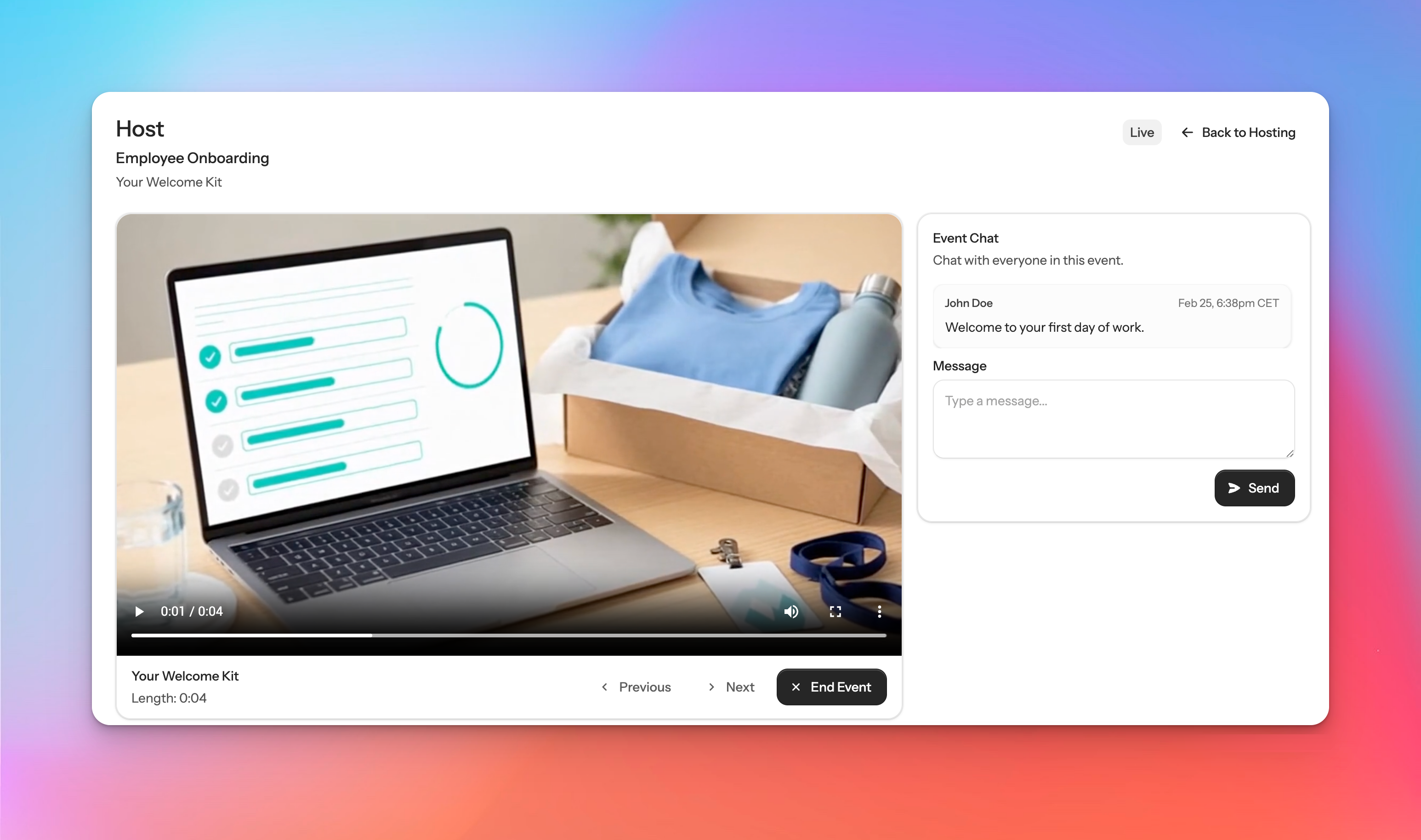
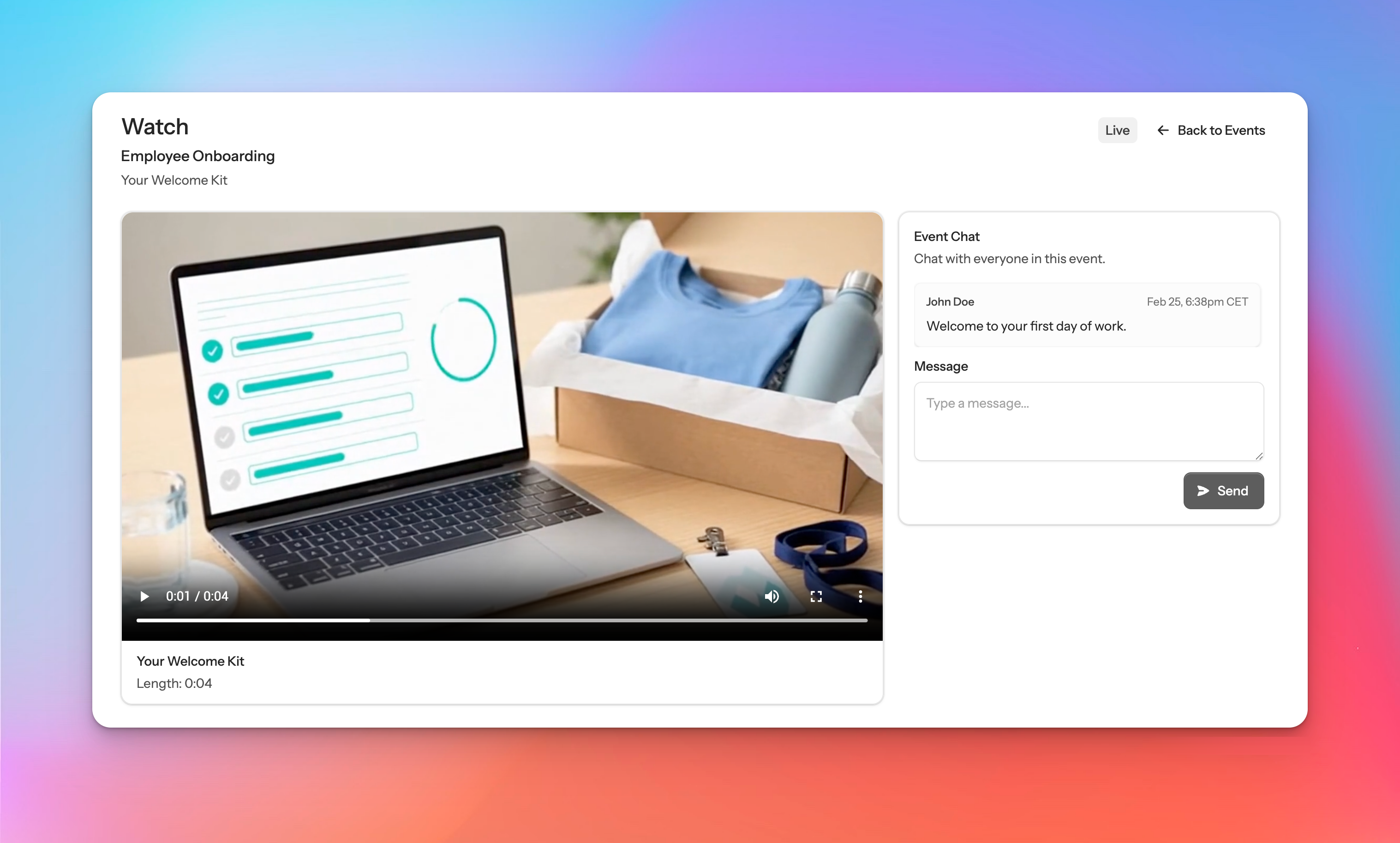
What the host and viewer screens look like
Hosts queue the clips. Guests get a clean screen that stays synced.
Everything you need for one focused live session
The product stays narrow on purpose: clips, invites, sync, discussion, and cleanup.
Everyone watches the same moment
Everyone follows the host, even if they join after the session starts.
Talk while the clip is still on screen
Talk through each clip while it is still on screen instead of losing context later.
Invite the right people
Keep the guest list, attendance, and session timing in one place.
Clips clean themselves up
Clips are deleted automatically when a session ends or is cancelled.
One plan, no long setup, and no surprise tiers.
$15 per month
Start with 7 free days, then keep running sessions for $15/month.
Up to 50 clips per session. Max 200 MB and 5 minutes per clip.
Why not just use Zoom?
ShortVibe keeps playback synced for everyone instead of relying on one shared window.
How fast can I set up a session?
Create a session in under a minute, add your clips, and send invites when you are ready.
Who is this for?
Teams that need to show short video clips together and discuss them live. Users must be 18 years or older.
Who can join?
Sessions are private. Only invited guests can watch.
What are the clip limits?
Sessions can run up to 8 hours and include up to 50 clips. Each clip can be up to 200 MB and 5 minutes.
What happens after the session?
All clips are deleted automatically when a session ends or is cancelled.
How much does it cost?
Hosting costs $15/month after the 7-day trial. Guests join for free.
Moderation rules
Videos are moderated; no sex, hate, nudity, extreme opinions, or anything harming children. See user terms for details.
User Terms